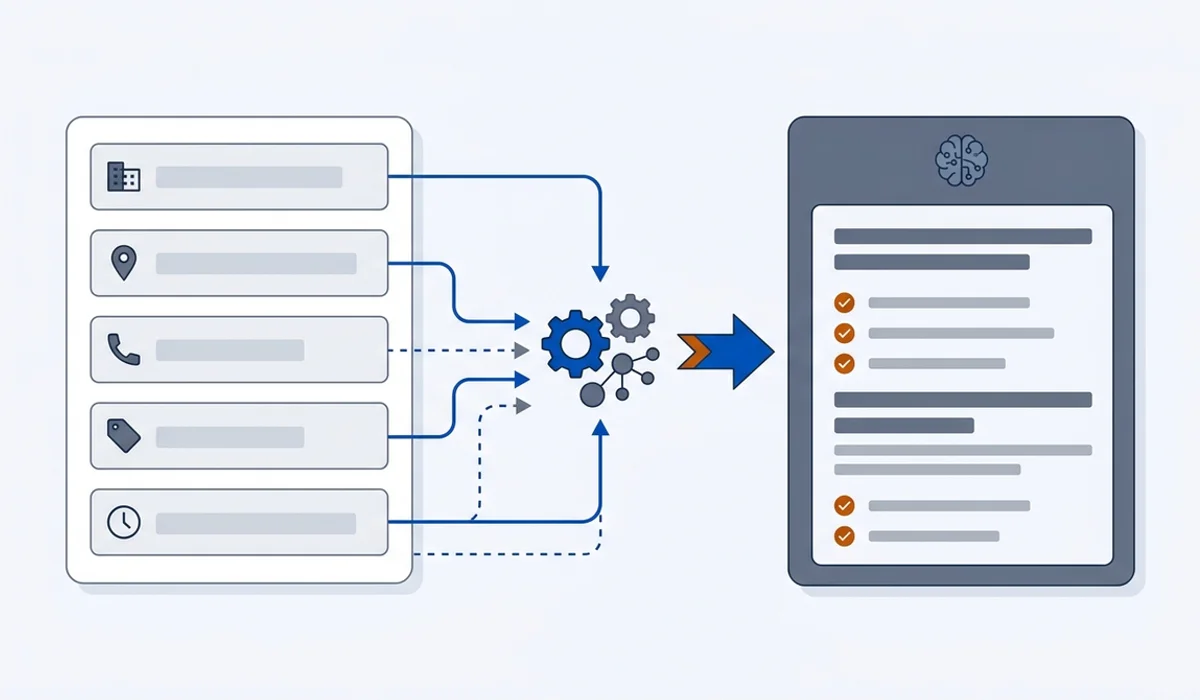
Your profile is the record engines read first
Lesson 1 ended with a simple idea: an AI answer is assembled from retrieved documents. For a local question, the densest of those documents is your Google Business Profile. It is structured, it is verified, the owner updates it, and it answers the exact questions customers ask. Google says its own local results are based mainly on relevance, distance and prominence (Google Business Profile Help, checked 21 September 2026), and the profile is where relevance and distance are read from. Assistants that lean on Google's local data inherit the same facts.
That is good news, because it is the one asset where you can reach an end state. A website is never finished. A profile can be complete by this evening.
The fields that carry weight
Work through these in order. Everything above the line changes what an assistant can say about you. Everything below it is housekeeping. We will use Halvorsen Plumbing, the fictional Boise plumber from Lesson 1, throughout.
Business name. Your real trading name, exactly as it appears on your signage, invoices and website. Google's guidelines say that including unnecessary information in your business name is not permitted and can lead to suspension; their own examples reject names like "Midas Auto Service Experts" in favour of "Midas" (Google Business Profile Help, checked 21 September 2026). "Halvorsen Plumbing" is the name. "Halvorsen Plumbing | 24hr Emergency Plumber Boise" is a suspension waiting to happen and a mismatch with every other record.
Address or service area. Halvorsen has a real shop on West Main Street, so the address stays visible and the service area is set to Boise, Meridian, Nampa and Eagle on top of it. If you work from home and travel to customers, the guidelines say to hide the address and set service areas instead. The guide on service-area businesses with no public address covers the edge cases, including why a virtual office address is a bad idea.
Phone number. One primary number, in one format, matching your website and every listing. Halvorsen's is (208) 555-0147 everywhere. A tracking number that differs from your public number is the single most common source of a contradictory footprint.
Primary category. The highest-consequence field on the whole profile. It tells Google and, downstream, the assistants what kind of business you are. Halvorsen's is "Plumber", not "Contractor" and not "Handyman". The guide on picking your primary category covers how to check what the businesses already being named use.
Hours. Including special hours for holidays. Halvorsen's profile says Monday to Friday 7am to 6pm, Saturday 8am to 2pm, and lists 24-hour emergency service in the description and services rather than by setting the profile to "open 24 hours", because the shop is not. Wrong hours damage trust faster than anything else on this list.
Website URL. Point it at the page that answers the question the profile implies. For Halvorsen that is the homepage, because the homepage states the service area, the emergency promise and the callout fee in its first screen (Lesson 3 explains why).
Services. List what you actually offer, named the way customers name them: drain clearing, water heater replacement, burst pipe repair, gas line work. This is one of the few free-text areas an engine can read as a structured list.
Below the line: photos, attributes, posts, Q&A. Worth doing, worth keeping reasonable, not worth reorganising your week around. The guide on how often to update your profile separates what matters from busywork.
Categories, chosen properly
Primary category is a positioning decision. Pick the most specific category that describes the majority of your revenue. Then add secondary categories only where you would accept a booking tomorrow. Halvorsen runs "Plumber" as primary and adds two secondaries for the drain and water heater work that makes up most of the call volume. It does not add "HVAC contractor" because it does not do HVAC, even though the trucks could carry the sign.
Two failure modes are common. The first is picking a category that is too broad, which puts you in competition with businesses that do something adjacent and better known. The second is adding every plausible secondary category, which tells the Local Pack and the assistants that you do a bit of everything, and specificity is what earns a recommendation.
If your current primary category is wrong, change it. A correction to a more accurate category usually helps. Churning between categories every few months does not.
The text fields an engine reads as text
Four parts of the profile are ordinary language, and ordinary language is what an assistant quotes.
The description should read like the opening of a good service page: what you do, where, and the two facts a customer needs first. Halvorsen's says it repairs and installs residential plumbing across Boise, Meridian, Nampa and Eagle, attends emergencies within 90 minutes 24 hours a day, and charges an $89 standard callout that is waived if the repair goes ahead.
Q&A is a place customers ask "do you do gas lines" and, if nobody answers, a stranger guesses. Seed it with the five questions you get on the phone every week and answer each in one plain sentence.
Review replies are text you write on your own profile. A calm reply that names the service and the suburb ("Glad the water heater swap in Nampa went smoothly") adds one more specific, corroborating sentence to the record. Lesson 6 goes deeper.
Posts keep the profile looking maintained. Google states that there are no special requirements or files to appear in AI Overviews or AI Mode (Google Search Central, page updated 10 December 2025, checked 17 September 2026), so treat posts as a small tidy-up rather than a lever.
The consistency requirement
Here is the part most owners underestimate. Your business details do not only live on your profile. They live on directory sites, review platforms, chamber listings, supplier pages, old booking systems and in the databases of data aggregators such as Data Axle, Neustar Localeze and Foursquare. Many smaller directories refresh from those aggregators, which is why one stale record can reappear after you have fixed it in ten places.
NAP consistency, meaning name, address and phone stated identically everywhere, is the term for getting this right. It is the difference between an assistant stating your hours confidently and hedging because two sources disagree. When Britt Halvorsen ran the audit, the old Fairview Avenue address from before the 2021 move was still live on four directories and one aggregator. The guide on NAP consistency includes a worksheet for the pass.
While you are here, claim the other two profiles that feed assistants: Apple Business Connect and Bing Places for Business (both checked 21 September 2026). The comparison of Google, Apple and Bing business profiles gives a claiming order for an owner with limited time.
Maintenance without the hamster wheel
A profile decays. Hours change, a service gets dropped, a number gets ported. The answer is a short recurring review rather than daily posting.
| Cadence | Task | Done when |
|---|---|---|
| Monthly, 20 min | Hours, phone, unanswered reviews, services list | Each field matches reality for the month ahead |
| Twice yearly, 2 hrs | Full listing audit across profile, site and directories | Every source carries the same name, address and phone |
| On change, 15 min | Special hours, dropped services, a ported number | Updated at least two weeks before it takes effect |
That is the whole maintenance job.
Exercise
Do the completeness pass and the listing audit on your own profile.
- Sign in to your Google Business Profile and confirm you, not a former agency, hold the owner role.
- Fill or correct the seven fields above the line: name, address or service area, phone, primary category, hours, website, services. Write the exact strings you used on a sheet.
- Rewrite the description so the first two sentences state what you do, where, and one fact a customer needs first.
- Search Google for your business name, then your phone number, then your old phone number or old address if you have one. List every page that shows your details, with a column each for name, address and phone.
- Mark every mismatch, including formatting differences such as "Ste" versus "Suite" and "St" versus "Street".
- Fix the aggregators first, then the directories that actually send you traffic. Stop after the ones that matter.
Check your work
- Your business name on the profile is your trading name with nothing added.
- Primary category is the most specific one that describes most of your revenue, and every secondary is a service you would book tomorrow.
- Hours match your door, and special hours are set for the next holiday.
- Phone and address (or service area) are identical, character for character, on the profile and the website.
- The description states what, where, and one concrete fact in its first two sentences.
- Your listing audit sheet exists, every mismatch is marked, and the aggregator records are corrected.
- Apple Business Connect and Bing Places are claimed, or are on the calendar for the next free hour.
Sources
- Google Business Profile Help, "Guidelines for representing your business on Google": https://support.google.com/business/answer/3038177 (checked 21 September 2026)
- Google Business Profile Help, "Tips to improve your local ranking on Google": https://support.google.com/business/answer/7091 (checked 21 September 2026)
- Google Search Central, "AI features and your website", page updated 10 December 2025: https://developers.google.com/search/docs/appearance/ai-features (checked 17 September 2026)
- Apple Business Connect: https://business.apple.com/ (checked 21 September 2026)
- Bing Places for Business: https://www.bing.com/forbusiness/ (checked 21 September 2026)