Structured data is your facts, stated so they cannot be misread
Lesson 3 was about writing facts a human can read and an assistant can lift. This lesson is about stating the same facts a second time, in a format built for machines.
Schema.org is a shared vocabulary for describing things on the web. JSON-LD is the format used to write that vocabulary into a page: a small script block that says, in effect, this page is about a business, here is its name, here is its address, here are its hours. Engines read it directly rather than inferring it from your layout.
The honest framing first. Google states that there is no special schema.org structured data you need to add to appear in AI Overviews or AI Mode (Google Search Central, page updated 10 December 2025, checked 17 September 2026). So for a business whose facts are already clean and unambiguous, schema is a marginal gain. For a business that is hard to pin down, a service-area operator with no public address, a name shared with another business in the region, a recent move, it can be the thing that lets an engine resolve you as one entity at all. The guide on whether you need schema for AI Overviews gives the direct answer on where your site sits.
The fields that earn their place
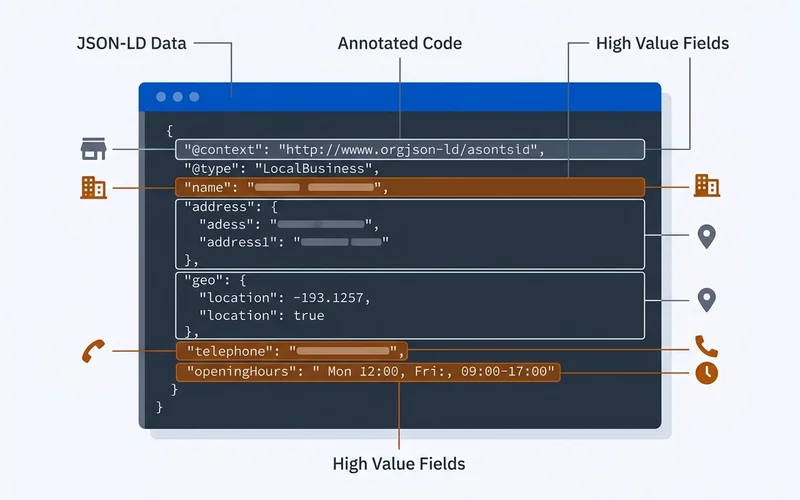
Google's LocalBusiness documentation requires only two properties, name and address, and recommends geo, openingHoursSpecification, priceRange, telephone and url among others (Google Search Central, checked 21 September 2026). In practice these are the ones that consistently matter:
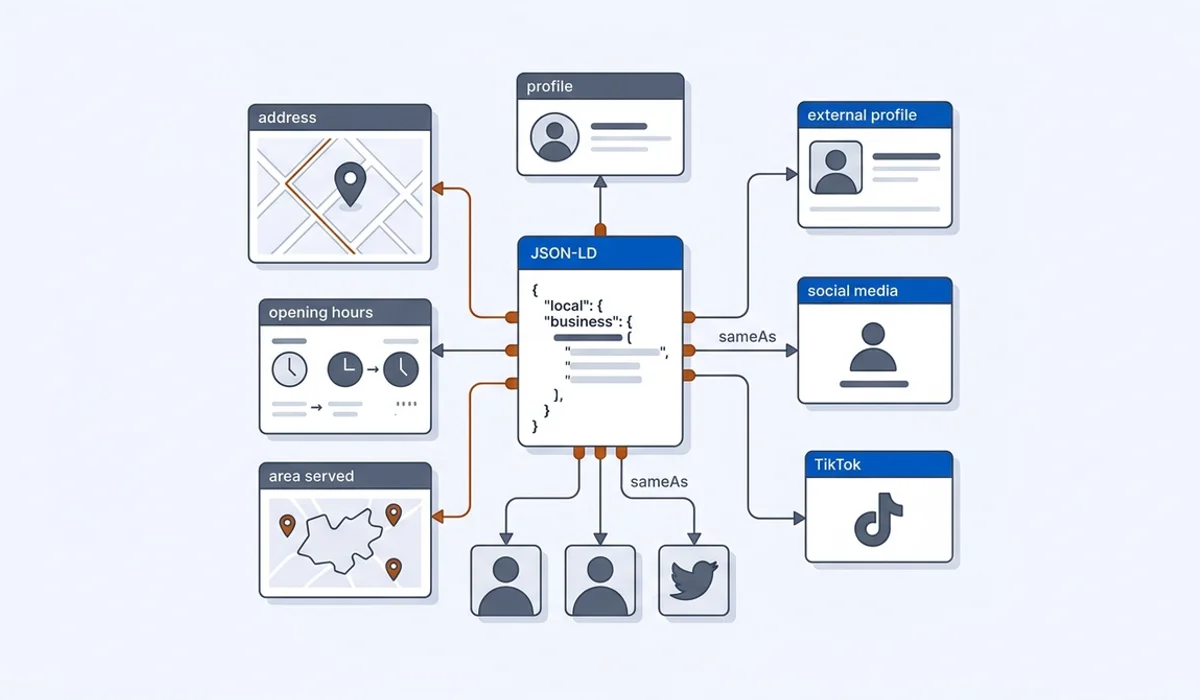
nameandurl, your trading name and canonical site URL.telephone, matching your profile exactly, including format.addressas a PostalAddress, orareaServedif you hide your address.openingHoursSpecification, matching the profile again.geoas GeoCoordinates, useful for proximity understanding.sameAs, an array of the external profiles you own.imageandlogo, so the entity has a visual reference.priceRange, a rough band rather than a precise figure.
Then there are the fields people add that change nothing. slogan: nobody retrieves a slogan. foundingDate on its
own: fine to include, not worth debating. Elaborate makesOffer structures for a business with three services: the
complexity outruns the benefit. And two blocks from two plugins, a common WordPress problem where the theme and an
SEO plugin each emit their own LocalBusiness block and disagree about the hours. One block, one source of truth.
The block for Halvorsen Plumbing
Here is the block for the fictional Boise plumber this course follows. Schema.org has a Plumber type under
LocalBusiness (via HomeAndConstructionBusiness), so it uses that. Use the most specific subtype that honestly fits
you: Plumber, Electrician, HVACBusiness, Dentist, AccountingService, Attorney or LegalService, CafeOrCoffeeShop,
AutoRepair. A cleaning business has no exact subtype, so it uses LocalBusiness and lets the services list carry the
specifics. A wrong specific type misinforms; a correct general type plus clear content does not. The @id gives the
business a stable identifier, so a Service or FAQPage block elsewhere on the site can point at the same entity
instead of describing a second one. Replace the values, delete what does not apply, and validate before you ship it.
{
  "@context": "https://schema.org",
  "@type": "Plumber",
  "@id": "https://halvorsenplumbing.example/#business",
  "name": "Halvorsen Plumbing",
  "url": "https://halvorsenplumbing.example/",
  "telephone": "+1-208-555-0147",
  "email": "[email protected]",
  "image": "https://halvorsenplumbing.example/images/shop-front.jpg",
  "priceRange": "$$",
  "address": {
    "@type": "PostalAddress",
    "streetAddress": "1420 W Main Street, Suite B",
    "addressLocality": "Boise",
    "addressRegion": "ID",
    "postalCode": "83702",
    "addressCountry": "US"
  },
  "geo": { "@type": "GeoCoordinates", "latitude": 43.6166, "longitude": -116.2079 },
  "areaServed": [
    { "@type": "City", "name": "Boise" },
    { "@type": "City", "name": "Meridian" },
    { "@type": "City", "name": "Nampa" },
    { "@type": "City", "name": "Eagle" }
  ],
  "openingHoursSpecification": [
    {
      "@type": "OpeningHoursSpecification",
      "dayOfWeek": ["Monday", "Tuesday", "Wednesday", "Thursday", "Friday"],
      "opens": "07:00",
      "closes": "18:00"
    },
    { "@type": "OpeningHoursSpecification", "dayOfWeek": "Saturday", "opens": "08:00", "closes": "14:00" }
  ],
  "sameAs": [
    "https://www.facebook.com/halvorsenplumbing",
    "https://www.yelp.com/biz/halvorsen-plumbing-boise"
  ]
}
Two rules that matter more than the syntax. Everything in that block must match your visible page, and everything must match your Google Business Profile. Google's general guidelines say not to mark up content that is not visible to readers of the page (Google Search Central, checked 21 September 2026), and markup that disagrees with the page it sits on creates exactly the contradiction Lesson 2 told you to eliminate. Note the hours block says nothing about 24-hour emergency service, because the shop is not open 24 hours. That fact lives in the visible text and in the Service markup below.
Service and FAQPage, and when to add them
Two more types are worth a few minutes each.
Service describes one thing you do. On Halvorsen's water heater page, a Service node with name "Water heater
replacement", provider pointing at the business @id, areaServed the same four cities, and an offers node
with a priceSpecification of $1,600 to $2,900 restates the page's own table in machine form. One Service node per
service page, never a list of twenty on the homepage.
FAQPage wraps the question-and-answer pairs you wrote in Lesson 3. Each Question carries the heading text and
each acceptedAnswer carries the paragraph under it, word for word. If the visible answer changes, the markup
changes.
Neither type will get you named on its own. They make an engine's job of matching a page to a query slightly easier, and they cost about ten minutes once the LocalBusiness block exists.
Installing it
Wrap the JSON in a script tag with type="application/ld+json" and put it in the page. Head or body both work,
despite the confident advice you will read elsewhere. What matters is that it renders in the served HTML and that
the page it sits on is the page it describes.
On WordPress, a schema plugin or a snippet in the theme header both work, though a plugin that also generates its own competing block is a common source of duplication. On a hosted builder, look for a custom code or head-injection setting. On a hand-coded or static site, add it to the layout template. The guide on adding JSON-LD to a local business site walks each path and lists the mistakes that silently invalidate a block.
Validate, then check it is actually live
Two checks, both free, both quick.
Google Rich Results Test. Paste the live URL. It tells you whether Google can parse the markup and whether the page is eligible for any rich result (checked 21 September 2026).
Schema Markup Validator. The validator at validator.schema.org reports structural problems that the Google tool skips, because it checks the vocabulary rather than one search product's requirements (checked 21 September 2026).
Then view the rendered page source and confirm the block is present on every page it should be. Markup that only exists in a plugin preview helps nobody. Re-run both checks any time you change a fact.
sameAs and entity resolution
The sameAs array is how you tell an engine that the business on your site, the one on your Google profile, the one
on Facebook and the one on Yelp are all the same organisation. For a local business it is the highest-value part
of the block after the basics.
List only profiles you genuinely own and maintain, typically three to eight. Dead or abandoned profiles are weak signals worth cleaning up. Almost no local business needs a Wikidata item, despite what you may have been told. The guide on using sameAs explains when it is worth the effort and when it is not.
Going deeper. Entity work past sameAs, building and reconciling a Knowledge Graph presence across many sources, is where AI SEO Rainmakers picks up; it covers this with weekly tested playbooks at seo.stream.
What not to mark up
It will not make a thin page quotable. It will not rescue a business whose listings contradict each other. And it cannot invent authority. Google's review snippet guidelines say ratings must be sourced directly from users, and that when the entity being reviewed controls the reviews about itself, pages using LocalBusiness or Organization markup are ineligible for the star feature (Google Search Central, checked 21 September 2026). Marking up your Google rating on your own site is the most common version of this mistake.
| Problem | Does schema fix it? | What actually fixes it |
|---|---|---|
| Facts are correct but ambiguous to a machine | Yes, this is its job | A validated LocalBusiness block |
| Listings contradict each other | No | The NAP audit in Lesson 2 |
| Pages contain nothing specific to quote | No | Rewriting passages, per Lesson 3 |
| You want stars in search results | No, not from your own reviews | Reviews on Google itself, per Lesson 6 |
Treat schema as what it is: the cheapest way to remove ambiguity about facts you have already made true elsewhere.
Exercise
Get one valid block live on your homepage.
- Copy the Halvorsen block above into a text editor. Change
@typeto the most specific subtype that fits you, orLocalBusinessif none does. - Replace every value with yours, copied character for character from your Google Business Profile. Delete
addressand keepareaServedif you hide your address. - Delete
sameAsentries you do not own. Add the ones you do. - Install it through whichever route your site uses, then load the live page and confirm the block is in the served source.
- Run the Rich Results Test and the Schema Markup Validator. Fix every error. Warnings about optional fields can wait.
Check your work
@typeis a real Schema.org type and the most specific one that honestly describes you.- Name, phone, address or areaServed, and hours match your profile and your visible page exactly.
- The block appears in the served HTML of the live page, not only in a plugin preview.
- Both validators pass with zero errors.
- No
aggregateRatingorreviewmarkup unless the reviews are collected on your own site. sameAslists only profiles you own and keep current.- If you added Service or FAQPage, the marked-up text matches the visible text word for word.
Sources
- Google Search Central, "AI features and your website", page updated 10 December 2025: https://developers.google.com/search/docs/appearance/ai-features (checked 17 September 2026)
- Google Search Central, "Local business (LocalBusiness) structured data": https://developers.google.com/search/docs/appearance/structured-data/local-business (checked 21 September 2026)
- Google Search Central, "General structured data guidelines": https://developers.google.com/search/docs/appearance/structured-data/sd-policies (checked 21 September 2026)
- Google Search Central, "Review snippet structured data": https://developers.google.com/search/docs/appearance/structured-data/review-snippet (checked 21 September 2026)
- Schema.org, LocalBusiness type: https://schema.org/LocalBusiness and Plumber type: https://schema.org/Plumber (both checked 21 September 2026)
- Google Rich Results Test: https://search.google.com/test/rich-results (checked 21 September 2026)
- Schema Markup Validator: https://validator.schema.org/ (checked 21 September 2026)
- SEO.Stream, public description of AI SEO Rainmakers: https://seo.stream/ (checked 17 September 2026)